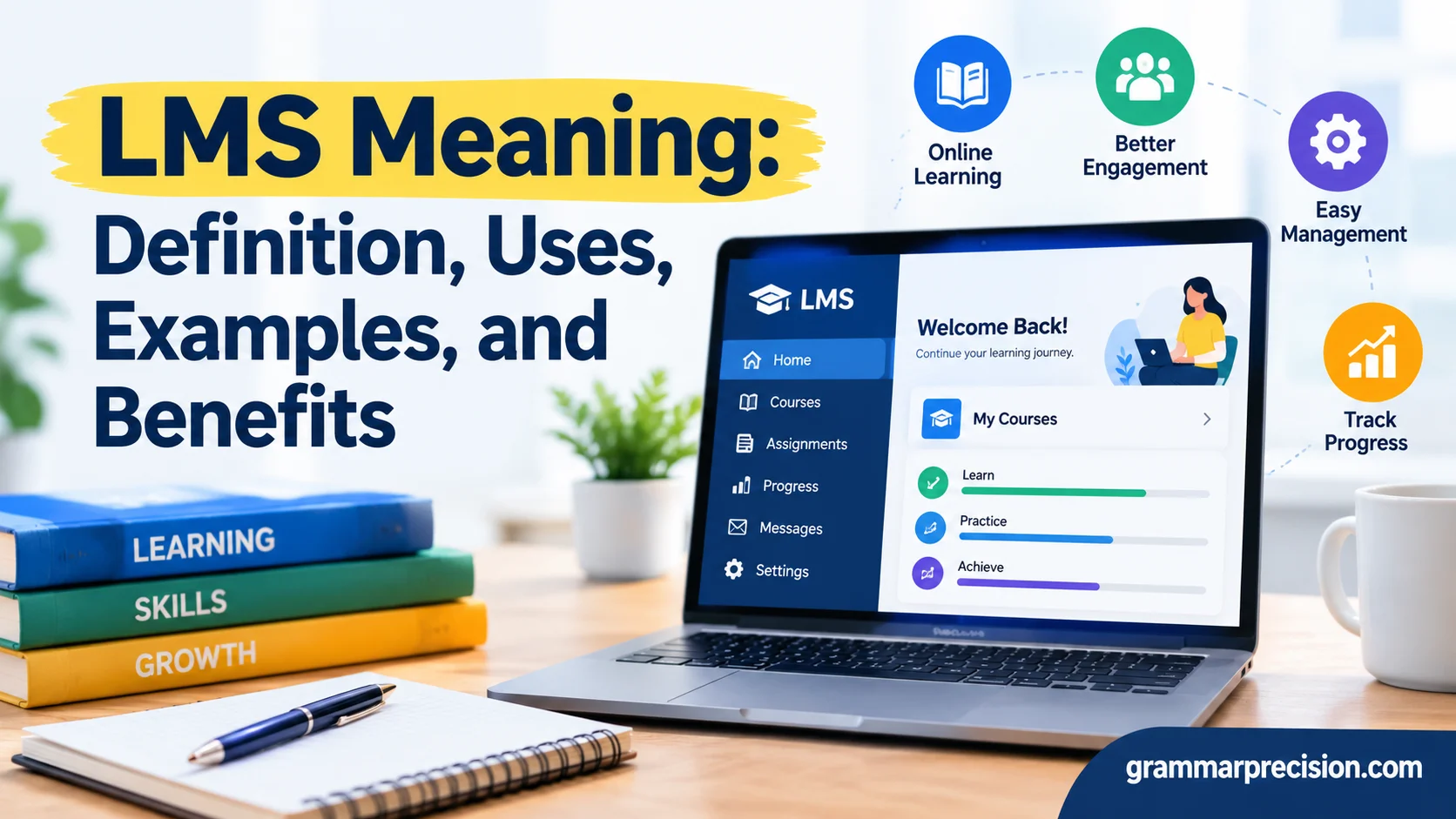
Have you ever wondered how schools, businesses, and organizations manage online learning efficiently? LMS Meaning refers to Learning Management System, a digital platform that helps users create, deliver, organize, and track educational or training activities. These systems simplify scheduling, time management, project management, and business communication by keeping learning materials, assignments, and progress reports in one place. Whether you’re attending virtual classes or training employees, understanding LMS can help you recognize its value in modern education and professional development.
In this guide, you’ll discover what LMS means, how it works, and where people commonly use it. You’ll also explore its role in online booking, broadcasting, meetings, and calendar management, along with practical examples of LMS platforms. Although LMS is primarily associated with digital learning, its meaning can vary across contexts. We’ll clarify these differences while highlighting the importance of English usage, grammar, formal writing, and consistency when using abbreviations. Style guides may vary between US and UK English, but clear definitions and consistent terminology help you communicate accurately in academic, business, and everyday settings.
What Does LMS Mean?
LMS stands for Learning Management System. Each word describes a key part of the technology and explains its purpose.
- Learning: The knowledge, skills, and information people develop through education or training.
- Management: The process of organizing courses, assignments, learners, and results.
- System: The software that connects these activities in one digital environment.
An LMS gives instructors and administrators a central place to manage learning materials. Learners can sign in to access lessons, complete quizzes, submit assignments, and review feedback. Depending on the platform, they may also participate in discussions, attend virtual classes, and earn certificates.
For example, imagine a company hires 40 new employees. Without an LMS, the training team might email documents individually, schedule multiple sessions, and track attendance manually. With an LMS, the team can assign one training course to all 40 employees and monitor their progress through a single dashboard.
What Is the Full Form of LMS?
The full form of LMS is Learning Management System. People commonly use this abbreviation when discussing educational software, online courses, and workplace training programs.
An LMS does more than store learning materials. It helps organize the entire learning process, from enrolling participants to recording assessment results. Depending on its features, the system may also automate reminders, manage course access, and generate completion reports.
Although many people associate an LMS with online classes, the technology also supports traditional classrooms. Teachers can use it to distribute homework, share supplementary reading materials, and organize classroom activities.
What Does LMS Mean in Education?
In education, LMS refers to software that helps teachers manage courses and gives students access to learning resources. Schools and universities use these platforms to organize lessons, collect assignments, communicate with students, and monitor academic progress.
For example, a science teacher might upload lecture notes, assign a chapter to read, and create a short quiz. Students can access the materials online, complete the quiz, and review their scores. The teacher can then identify which concepts require additional explanation.
This approach makes course information easier to organize. Students can also revisit available materials when preparing for examinations or reviewing difficult topics.
What Does LMS Mean in Business?
Businesses use an LMS to train employees, introduce company policies, and develop professional skills. Human resources teams often use these platforms for onboarding, compliance training, customer service instruction, and leadership development.
Consider a retail company with several locations. Rather than delivering the same presentation repeatedly, its training team can create one course and assign it to employees across every branch.
Managers can then review completion reports and identify employees who need additional instruction. This process helps organizations deliver consistent training without relying entirely on face-to-face sessions.
What Is a Learning Management System?
A Learning Management System is a digital platform designed to organize, deliver, and monitor educational activities. Users typically access it through a web browser or mobile application.
Most LMS platforms provide different interfaces for administrators, instructors, and learners. Each group receives tools suited to its responsibilities.
Administrators manage accounts, permissions, and system settings. Instructors create courses, share resources, and evaluate assignments. Learners access materials, participate in activities, and complete required assessments.
For instance, a university might create an online English course containing recorded lectures, grammar exercises, reading assignments, and weekly quizzes. Students sign in to study the material, while instructors monitor participation and evaluate their work.
How Does an LMS Work?
Most learning management systems follow a straightforward process. The available features differ, but the basic workflow usually includes several stages.
Course creation: An instructor or administrator prepares lessons, videos, presentations, documents, and assessments.
Learner enrollment: The system gives selected students or employees access to the appropriate course.
Content delivery: Learners sign in to view materials, follow instructions, and complete activities.
Assessment: Quizzes, assignments, and examinations help measure understanding.
Progress tracking: The LMS records available information about completed lessons, assessment scores, and course activity.
Reporting: Instructors and administrators review the results to identify achievements and areas that need improvement.
Imagine an employee completing cybersecurity training. The LMS assigns the course, provides learning materials, and presents a final quiz. If the employee doesn’t pass, the organization may require additional study before another attempt.
Automation reduces repetitive administrative work. However, instructors and managers still need to interpret results and provide useful feedback.
What Are the Main Components of an LMS?
An LMS usually combines several features to support the learning process. Some platforms offer basic course management, while others provide advanced administrative and analytical tools.
| Component | Purpose | Example |
| Course management | Organizes lessons and materials | Weekly learning modules |
| User management | Controls accounts and access | Enrolling new employees |
| Assessment tools | Measures understanding | Online quizzes |
| Progress tracking | Records learning activity | Completed lesson reports |
| Communication tools | Supports interaction | Announcements and discussions |
| Reporting | Summarizes results | Course completion statistics |
| Certification | Records successful completion | A training certificate |
Not every platform includes all these features. Organizations should compare available tools with their learning goals before choosing a system.
LMS vs. Traditional Classroom Learning
Traditional classroom learning relies heavily on face-to-face instruction, printed resources, and scheduled lessons. An LMS can complement this approach by making educational materials available digitally.
The two methods don’t have to compete. Teachers can explain difficult concepts in person while using an LMS to distribute assignments, collect homework, and provide additional practice.
| Feature | Traditional classroom | LMS-supported learning |
| Learning materials | Often distributed during class | Frequently available online |
| Assignments | Paper-based or in person | May be submitted digitally |
| Progress tracking | Teacher-managed records | Digital reports and dashboards |
| Communication | Primarily face-to-face | In-person and digital options |
| Flexibility | Usually follows a fixed schedule | May support self-paced learning |
The right approach depends on the subject and learners. Laboratory experiments, practical demonstrations, and group discussions may require direct interaction, while reading assignments and quizzes work well through an LMS.
Common Uses of an LMS
Learning management systems support many activities beyond online school lessons. Organizations use them whenever they need to deliver structured learning or track training progress.
LMS in Schools and Universities
Schools and universities use an LMS to organize coursework, distribute resources, and communicate with students. Teachers can publish lesson notes, share reading lists, collect assignments, and provide feedback.
Students benefit from having course information in one place. They can review available lectures, check deadlines, and revisit difficult topics before examinations.
For example, a history instructor might upload a documentary, assign a textbook chapter, and create a short assessment. Students complete the activities while the instructor reviews their results and identifies areas that need further explanation.
LMS in Corporate Training
Businesses use an LMS to deliver consistent training across departments, offices, and locations. The platform can support employee onboarding, workplace safety instruction, software training, and professional development.
A company can create a course explaining its customer service standards and assign it to every new employee. Managers can monitor completion without collecting separate spreadsheets from individual departments.
Some organizations also use an LMS to manage recurring training. Employees may receive reminders when they need to complete refresher courses or updated policy lessons.
However, completing a course doesn’t automatically prove that someone has mastered a skill. Practical assessments and supervisor feedback may still be necessary.
LMS for Online Courses and Personal Learning
Independent instructors and training businesses use LMS platforms to organize lessons and deliver educational content. Depending on the software, they can manage enrollment, assess assignments, issue certificates, and connect payment services.
Imagine an instructor teaching photography online. The course might cover camera settings, composition, lighting, and photo editing. Students progress through the modules and submit photographs for feedback.
Some platforms support self-paced learning, allowing students to study around work and family commitments. Others emphasize instructor-led courses with scheduled lessons and deadlines.
LMS in Healthcare and Professional Training
Healthcare organizations use LMS platforms to provide training on workplace procedures, patient privacy, equipment, and documentation. Professional associations may also use them to deliver continuing education.
For example, a hospital can assign privacy training to relevant employees and record course completion. Staff may still need practical instruction or formal assessments before performing certain duties.
An LMS helps organize training, but it doesn’t replace professional judgment, supervised practice, or applicable licensing requirements.
Key Features of a Learning Management System
An LMS can offer dozens of tools, but several core features make these platforms especially useful.
Course Creation and Content Delivery
Course creation tools help instructors organize lessons into modules, units, or learning paths. They can upload documents, share presentations, include videos, and provide supporting resources.
A well-organized course helps learners understand what to study first and what to complete next. Clear instructions and consistent layouts also reduce confusion.
Some systems support interactive activities and content standards such as SCORM. These standards allow compatible learning materials to communicate information about learner activity to the LMS.
Student Progress Tracking and Assessments
Assessment tools measure understanding through quizzes, tests, assignments, and other activities. Some platforms automatically grade objective questions, while instructors evaluate essays and practical submissions.
Progress dashboards may display completed modules, assessment scores, and missed deadlines. This information helps instructors identify learners who need extra support.
However, progress data needs context. A student might complete every lesson without fully understanding the material. Combining test results, practical activities, and personal feedback provides a more complete picture of learning.
Certificates, Reports, and Analytics
Many LMS platforms generate reports showing enrollment, completion rates, scores, and learning activity. Administrators can use these reports to monitor training programs and identify common problems.
Some systems issue certificates after learners meet specific requirements. For example, a company might award a certificate after an employee completes a course and passes its final assessment.
Certificates differ in value. An LMS-generated certificate can confirm completion, but it doesn’t automatically represent an accredited qualification or professional license.
Communication Tools and Collaboration
Learning often improves when students can ask questions and exchange ideas. Depending on the platform, an LMS may include announcements, discussion boards, messaging, and feedback tools.
An instructor can clarify assignment requirements through an announcement. Students can also discuss difficult concepts with classmates or submit questions for the next lesson.
These features support collaboration, but good course design remains essential. A discussion board adds little value when learners lack clear instructions or instructors provide no guidance.
Examples of Popular LMS Platforms
Different learning management systems serve different needs. Some focus on schools and universities, while others specialize in workplace training or classroom administration.
| LMS platform | Common use | Main strengths |
| Moodle | Schools, universities, and training organizations | Open-source flexibility and customization |
| Canvas | Schools and higher education | Course organization, assignments, and grading |
| Google Classroom | Classroom management | Assignment distribution and Google tool integration |
| Blackboard Learn | Educational institutions | Course management and assessment tools |
| TalentLMS | Workplace training | Business-oriented training administration |
Features, pricing, and availability may vary by plan and implementation.
Moodle
Moodle is an open-source learning management system that organizations can adapt to their requirements. Schools, universities, and businesses can use it to create courses, manage learners, and deliver assessments.
Its flexibility appeals to organizations that want greater control over their learning environment. However, hosting, maintenance, customization, and technical support may require additional resources.
Canvas
Canvas provides tools for managing educational courses, assignments, grades, and communication. Teachers can organize learning materials, while students can check course requirements and submit their work.
Educational institutions may choose Canvas based on their teaching needs, existing technology, and integration requirements.
Google Classroom
Google Classroom helps teachers organize classwork, distribute assignments, and communicate with students. It works with Google Workspace tools such as Docs and Drive.
Its straightforward interface can make everyday classroom management easier. However, organizations should compare its capabilities with those of other LMS platforms before selecting a solution for complex training needs.
Blackboard Learn
Blackboard Learn supports course management, assessments, communication, and other educational activities. Instructors can distribute materials, organize assignments, and evaluate student work.
Institutions may consider it when selecting software that fits their administrative requirements and existing educational technology.
Benefits and Limitations of Using an LMS
An LMS can make learning easier to organize, but its value depends on how people use it. Understanding its strengths and limitations helps you decide whether it suits your needs.
Advantages for Students and Teachers
A learning management system gives students convenient access to course materials and helps teachers organize lessons more efficiently.
Important benefits include:
- Flexible access: Learners can often study from different locations and revisit available materials.
- Better organization: Lessons, assignments, and deadlines stay in one place.
- Faster feedback: Automated quizzes can provide immediate results.
- Progress visibility: Instructors can identify missed assignments and possible learning gaps.
- Simpler communication: Announcements and discussion tools keep learners informed.
For example, a student struggling with mathematics can revisit an explanation before attempting another quiz. This flexibility encourages review, although the student may still need individual guidance.
Benefits for Businesses and Employees
Businesses benefit from consistent training and simpler administration. An LMS can distribute the same course across multiple teams without requiring every manager to deliver identical presentations.
Organizations may also reduce printing, travel, and repetitive administrative work. Actual savings depend on licensing fees, setup costs, employee participation, and the training methods being replaced.
Employees benefit from convenient access to learning resources. They can review procedures, develop new skills, and complete assigned training according to the organization’s schedule.
Common LMS Challenges and Practical Solutions
Despite its advantages, an LMS doesn’t solve every learning problem.
| Challenge | Practical solution |
| Learners lose interest | Use shorter lessons and realistic examples |
| Users struggle with navigation | Choose a clear interface and provide basic training |
| Internet access is unreliable | Consider offline options or downloadable materials |
| Reports provide misleading impressions | Combine system data with assessments and feedback |
| Setup becomes expensive | Compare licensing, maintenance, and support costs |
The most important lesson is that technology supports effective teaching but doesn’t replace it. A poorly designed course can remain confusing even when it uses sophisticated software.
How to Choose the Right LMS
Choosing an LMS becomes easier when you understand your goals. A university, a small business, and an independent instructor may need very different features.
Identify Your Learning Goals
Start by deciding what you want the platform to accomplish. You might need to deliver school lessons, train employees, sell courses, or track professional development.
Clear goals help you avoid paying for features your organization won’t use.
Compare Features and Ease of Use
Look for tools that match your daily activities. Consider course creation, assessments, reporting, communication, mobile access, and integrations.
A platform should also be easy for learners and instructors to navigate. Complicated software can discourage participation and increase training requirements.
Consider Pricing and Support
Compare the total cost rather than focusing only on the advertised subscription. Hosting, customization, maintenance, training, and technical support can increase expenses.
Before committing, test the platform if a trial or demonstration is available. Confirm that its features, accessibility options, and support services meet your needs.
FAQs About LMS Meaning
What Does LMS Stand For?
LMS stands for Learning Management System. It describes software that helps organizations create, deliver, organize, and track educational courses or training programs.
What Is an LMS Used For?
An LMS supports online education, employee training, professional development, assessments, and course administration. Learners access materials while instructors monitor progress and review results.
Is an LMS the Same as E-Learning?
No. E-learning refers to learning through electronic technologies, while an LMS organizes and manages learning activities. E-learning can also happen through video calls, websites, and other digital tools without a dedicated LMS.
Is LMS Software Free?
Some platforms offer free plans or open-source software, while others charge subscription fees or licensing costs. Additional expenses may include hosting, customization, maintenance, and technical support.
Can Small Businesses Benefit From an LMS?
Yes. Small businesses can use an LMS to onboard employees, explain company procedures, and provide consistent training. A simple platform may be sufficient for organizations with straightforward learning requirements.
Does an LMS Replace Teachers?
No. An LMS helps teachers organize materials, distribute assignments, and monitor progress. Teachers still provide explanations, meaningful feedback, encouragement, and professional judgment.
Conclusion:
Understanding LMS Meaning helps you recognize how a Learning Management System simplifies online education, employee training, and learning progress tracking. These platforms improve time management, organization, and accessibility, making digital learning more efficient for students, educators, and businesses.
Whether you use an LMS for academic courses, professional development, or workplace training, understanding its features helps you choose the right platform. By exploring its benefits, common uses, and practical examples, you can make informed decisions and improve your overall learning experience. Consistent terminology also supports clear communication in academic and professional settings.